

Custom software development
Internal tools, business platforms and system integrations built around how your team actually works — replacing spreadsheets, disconnected tools or manual handoffs with a system designed for your process.
Problems this addresses
- Your team relies on spreadsheets, email threads or disconnected tools to track work that should live in one place.
- Information has to be re-entered across systems that don't talk to each other.
- A process depends on one person's memory or manual coordination instead of a shared, visible system.
Examples of what this can include
Our Workboard demo is an illustrative example of a work-tracking tool built this way, using fictional sample data.
Scope and deliverables
Agreed upfront: the core workflow the system must support, who uses it and with what permissions, and which existing systems it must read from or write to.
Defined together during scoping: the full screen and data list, validation rules, and acceptance criteria for each workflow — refined during the definition and design stages.
Process for this service
The same definition, design, build-and-verify, and operation stages described in our approach apply here, with an emphasis on mapping the current process — including its exceptions — before any screen is designed.
Integrations and constraints we evaluate
- Existing databases, spreadsheets or systems of record the tool must connect to, or eventually replace.
- Who administers user accounts and permissions once the system is in use.
- Data migration from whatever is used today, where relevant.
What affects budget and timeline
These factors shape the scope of a quote — we don't set prices or delivery dates without reviewing your specific project.
- The number of distinct workflows and user roles the system must support.
- The complexity of integration with existing systems — a documented API is simpler than a legacy system with no accessible interface.
- The amount of historical data that needs to be migrated.
- Reporting or audit requirements beyond the core workflow.
Frequently asked questions
We currently use spreadsheets — can you replace them without disrupting work?
Yes. We typically map the current process first and design the new system to fit around it, so the transition can be staged rather than all at once.
Can different people see different things in the system?
Role-based access is a common requirement and is scoped explicitly — we define who can see or change what before development starts.
Can the system connect to software we already use?
Any integration is reviewed during scoping, based on what access or documentation the existing system provides.
Who owns the system once it's built?
You do. Hosting, access and future changes are agreed as part of planning for operation, covered in our approach.
What if our process changes after launch?
Internal systems evolve with the business. Further changes are scoped and agreed separately once the initial version is in use.
Product concept
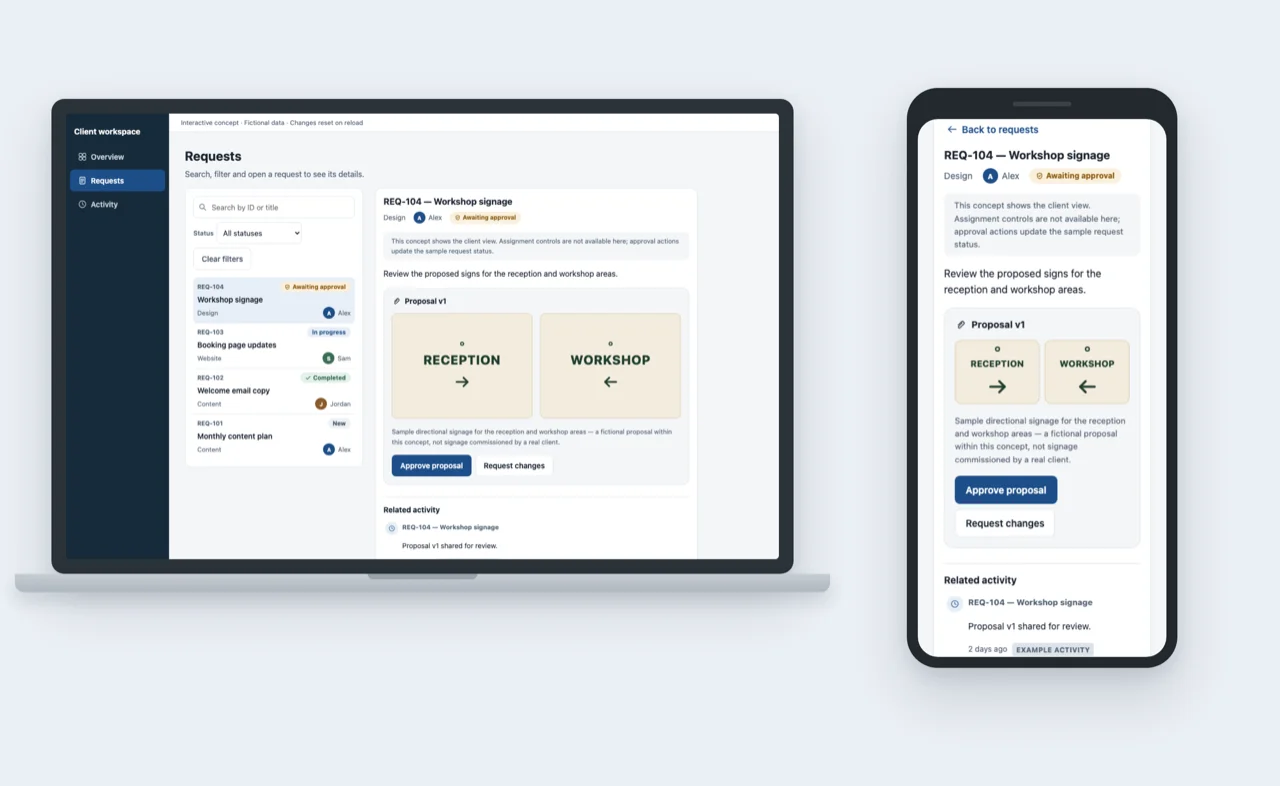
Explore a client portal concept
An original Aixo Lab concept showing how customers could review requests, approve proposals and follow updates. Not a client project.
See the client portal conceptHave an internal system or integration in mind?
Tell us about the process you want to replace or connect.
Request a project quote